LEADTOOLS Libraries for the Web
LEADTOOLS provides a variety of libraries for the web, including HTML5/JavaScript, Web services, cloud services, ASP.NET Web Forms Controls, medical imaging UserControls, and more.

Image Viewer Control for HTML5/JavaScript Apps
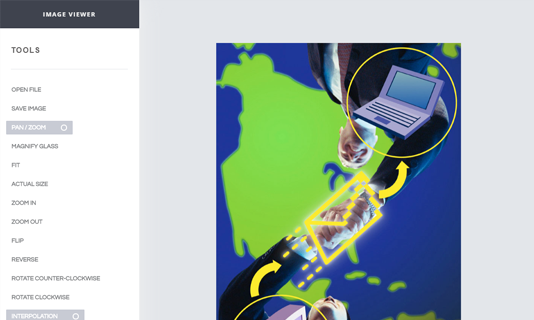
Web developers using LEADTOOLS Image Viewer Control for HTML5 and JavaScript can create zero-footprint, cross-platform applications with document, medical, and photo image viewing functionality. Developers can target desktops, tablets, and mobile devices such as iPad, iPhone, and Android with a single application featuring robust document, medical, and image display and processing, mouse and multi-touch gesture input support, annotation, and much more.
Document Viewer Control for HTML5/JavaScript Apps
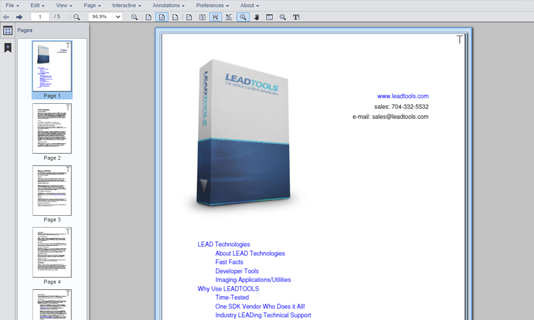
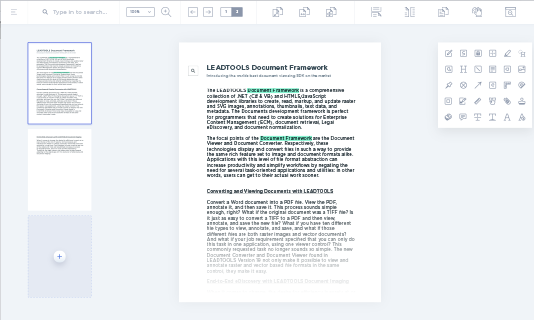
The LEADTOOLS Document Viewer control is a zero-footprint document-viewing solution for HTML5/JavaScript front ends with a Microsoft .NET (IIS & Kestral), or Java (Linux/Apache) hosted back end. Developers can create robust, full-featured applications with rich document-viewing capabilities, including text search, annotation, memory-efficient paging, inertial scrolling, and vector display. Providing a uniform UI and UX for more than 165 raster and document formats, the LEADTOOLS Document Viewer is ideal for Enterprise Content Management (ECM), document retrieval, and document normalization solutions.
Document Editor Control for HTML5/JavaScript Apps
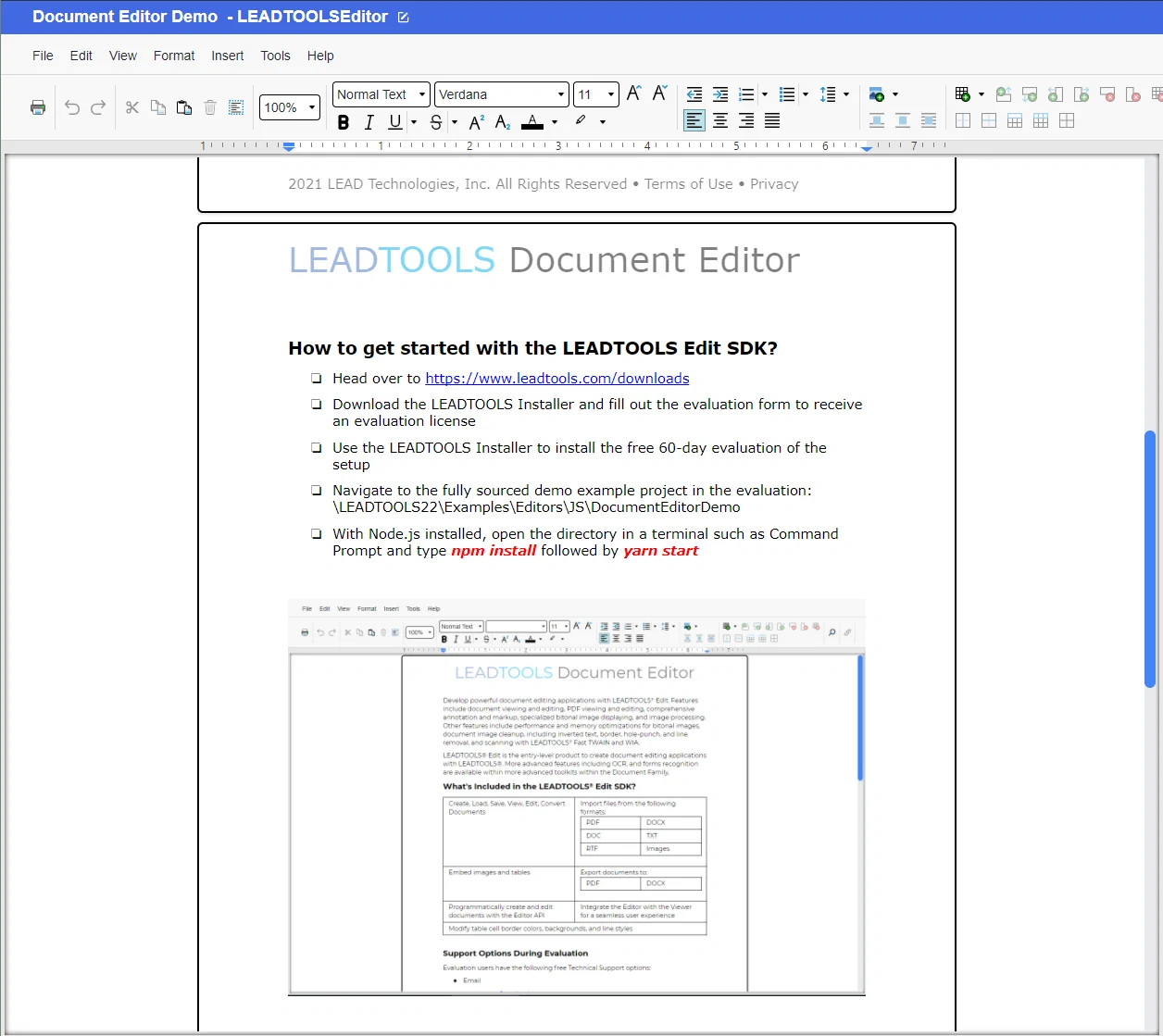
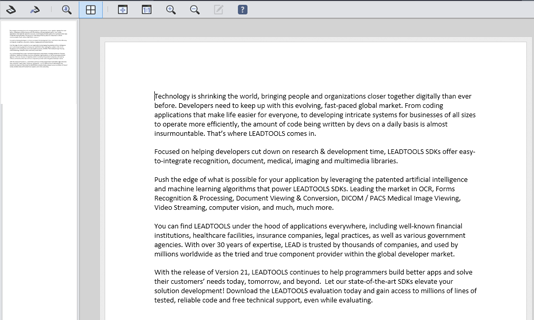
The LEADTOOLS Document Editor is a zero-footprint document-editing solution for HTML5/JavaScript front ends with a Microsoft .NET (IIS & Kestral), or Java (Linux/Apache) hosted back end. Developers can create robust, full-featured applications with rich document-editing capabilities, including text search, spell checking, undo/redo, copy, cut, paste, ruler, font styles, paragraph styles, and so much more! Formats supported include PDF, DOC/DOCX, and RTF.
Medical Image Viewer Control for HTML5/JavaScript Apps
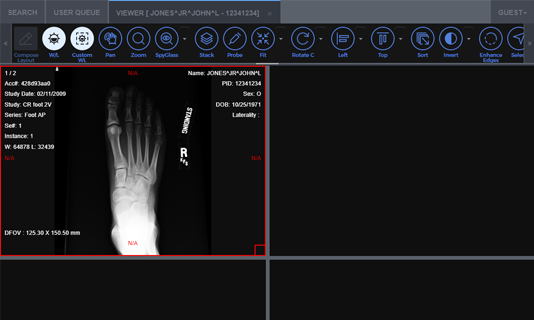
The LEADTOOLS Medical Image Viewer control for HTML5 and JavaScript takes full advantage of everything modern web browsers and mobile devices offer, giving developers a shorter learning curve and confidence that their application will satisfy customer demands for user experience and broad-ranging DICOM support on multiple devices. The plethora of fast, client-side DICOM tools—pre-defined and custom layouts, touch-enabled window-leveling and medical-specific image processing, annotations, 3D reference lines, and more—make the LEADTOOLS HTML5/JavaScript zero-footprint Medical Viewer a premier choice for software developers working in the health care space.
JavaScript Libraries to Annotate and Mark Up
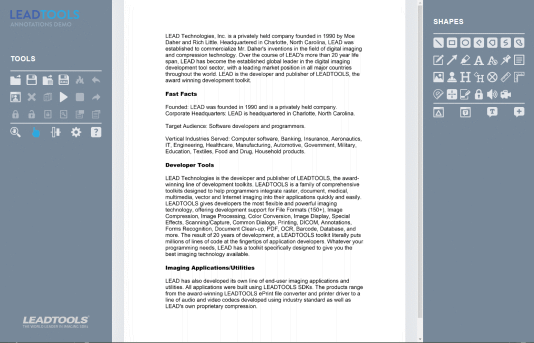
LEADTOOLS annotation components for HTML5 and JavaScript include a clean and diverse collection of markup objects and collaborative tools designed to impart visual metadata to digital images and documents that enhance user experience, productivity, and security. Annotations can be added to more than 165 formats. Annotations and markups are most often used in a presentation layer without altering the image or document, but can also be made a permanent part of the file.
Web Scanning Framework
Developers can add control of any TWAIN or SANE-enabled device from within HTML5/JavaScript web applications by using LEADTOOLS. From within any web browser, LEADTOOLS can scan images and documents for display within the LEADTOOLS HTML5/JavaScript Zero-footprint Viewer. Additionally, scanned images can be uploaded to a server for additional processing, including OCR, barcode, file format conversion, and more.
Image Processing Library for JavaScript
LEADTOOLS includes JavaScript libraries that perform client-side image-processing within cross-platform, zero-footprint, HTML5/JavaScript web applications. By processing image data on the client, developers can provide a better user experience with faster and more responsive applications that do not require external server calls.
Custom and Hosted Cloud Services
LEADTOOLS includes libraries to create custom imaging and recognition cloud services as well as hosted services. Integrators can deploy custom services to most popular cloud hosting providers, such as Microsoft Azure and AWS. Developers can easily create services for OCR, Barcode, Passport, Driver's License, and Check Recognition as well as convert more than 165 image and document file formats to their cloud-based offerings.

Components for SharePoint
LEADTOOLS includes everything developers need to integrate imaging and recognition technology into their SharePoint applications. Programmers can use LEADTOOLS to load, save, and convert more than 165 types of image and document files hosted on SharePoint, opening the door to integrate any of the recognition, document, medical, and raster imaging technology, including OCR, barcode, markup, forms, PDF, and image processing. Additionally, the LEADTOOLS HTML5/JavaScript Zero-footprint viewer control can be hosted directly within SharePoint pages to provide users with a feature-rich interface to edit and annotate images and documents.

Easy to Integrate
LEADTOOLS handles the heavy lifting, eliminating months of R&D, while giving you the best quality and performance available. You'll be free to focus on other components of your application. Download the LEADTOOLS evaluation to streamline your development.
Start Coding with LEADTOOLS Web Imaging
Web Imaging libraries as well as all LEADTOOLS Recognition, Document, Medical, Vector, and Imaging technologies for all development and target platforms, including Windows, Linux, and macOS.