Image Processing SDK Libraries
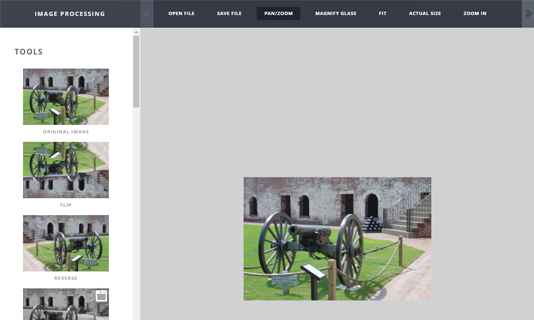
LEADTOOLS provides more than 200 image processing functions in several categories, including document cleanup, medical image enhancement, color conversion and correction, noise reduction, and edge detection. Combined with support for more than 165 file formats, .NET 6+, .NET Framework, .NET MAUI, Xamarin, UWP, C++ Class Library, C#, VB, C/C++, Java, Objective-C, Swift, and HTML / JavaScript developers can build applications to handle any imaging requirement and solve any business problem.

Image Processing Function Categories
Over the past 36 years thousands of customers with millions of end-users have used LEADTOOLS, so we have seen it all. The LEADTOOLS Image Processing libraries have been tested against millions of real-world images and are honed to be the fastest, most robust, and most accurate functions available.
- Scanned Document Image Processing and Recognition Preprocessing
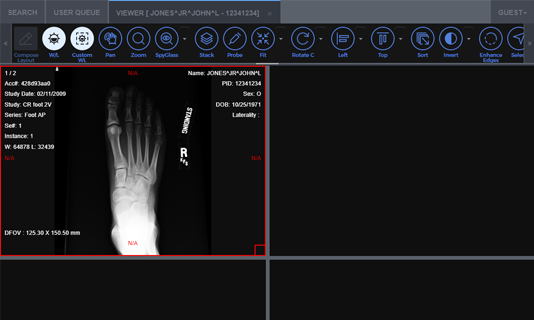
- Medical Image Processing SDK Technology
- Add, Subtract, and Combine Images
- Adjust Brightness and Contrast
- Artistic and Photo Effects
- Color and Bit-Depth Expansion and Reduction
- Color Correction
- Color Space Conversion
- Customizable User Filters
- Digital Paint
- Edge Detection, Line Detection, and Image Sharpening
- Geometric Transformation
- Image Enhancement
- Image Segmentation
- Manipulate Image Bits
- Noise Reduction and Smoothing
- Perform Mathematical and Logical Operations
- Statistical Information
- Use region of interest to isolate specific parts of images
- Process signed integer pixel image data
- General list of some of the image processing functions available in LEADTOOLS

Easy to Integrate
LEADTOOLS handles the heavy lifting, eliminating months of R&D, while giving you the best quality and performance available. You'll be free to focus on other components of your application. Download the LEADTOOLS evaluation to streamline your development.

Image Processing SDK Platforms and Programming Interfaces
Operating Systems
Projects that use LEADTOOLS Image Processing libraries can be deployed to Windows, Linux, macOS, Android, iOS, and Web devices.
Frameworks
Developers that are leveraging these frameworks can utilize the Image Processing SDK: .NET 6+, .NET Framework, .NET MAUI, Xamarin, UWP, WinForms, C++ Class Library, ASP.NET, and Web Services / Web API (JSON, SOAP, REST)
Programming, Scripting, Markup
Image Processing code snippets and demo applications are provided for the following: C#, VB, XAML, C/C++, Java, Objective-C, Swift, and HTML / JavaScript
Start Coding with LEADTOOLS Image Processing
Image Processing libraries as well as all LEADTOOLS Recognition, Document, Medical, Vector, and Imaging technologies for all development and target platforms, including Windows, Linux, macOS, Java, and Xcode (Objective-C and Swift).