Image Annotation & Markup Customizable Features
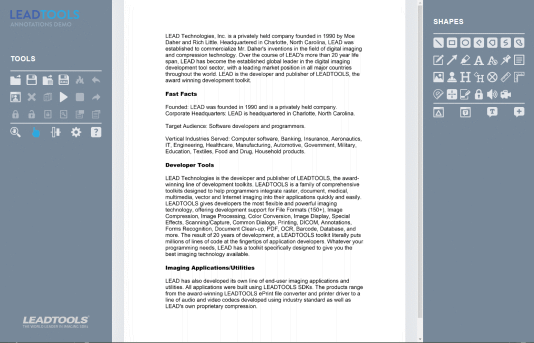
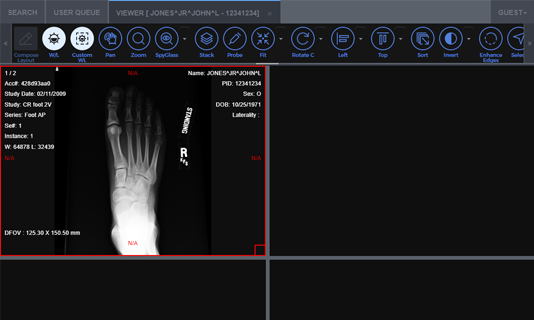
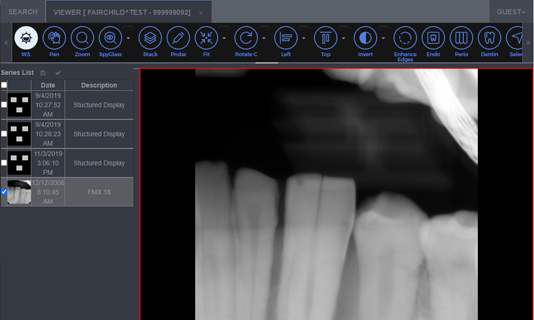
LEADTOOLS SDKs include flexible and time-tested document and image annotation libraries for .NET 6+, .NET Framework, .NET MAUI, Xamarin, UWP, C++ Class Library, C#, VB, C/C++, Java, Objective-C, Swift, and HTML / JavaScript developers. LEADTOOLS Annotation technology offers many customizable features, flexible development options, and a robust user experience.
Customizable Annotation Features Include:
- Custom Annotations
- User Interface
- XML Annotation Save Format
- Annotation Rotate Option
- Calibrate Ruler Feature
- Annotation Cursors
- Alpha Background Fill Option
- Dot Dash Lines
- Text Annotation Options
Custom Annotations
LEADTOOLS includes more than 30 built-in annotation objects that can be extended to create custom annotation objects. Developers can change the way the user interacts with existing annotations as well as create completely new annotation objects such as Triangle, Shutter, Text Bubble, Bull's-eye, and Permanent Magnifying Glass—the possibilities are endless with LEADTOOLS Annotations!
User Interface (Toolbars, Context Menus, and Dialogs)
LEADTOOLS provides an extensive collection of objects, toolbars, menus, and dialogs within its .NET 6+, .NET Framework, .NET MAUI, Xamarin, UWP, C++ Class Library, C#, VB, C/C++, Java, Objective-C, Swift, and HTML / JavaScript annotations, which can be customized to best suit your application and targeted end-users. All user interface elements can be directly accessed to change strings, images, and event handlers. Additionally, dialog and menu strings can be localized using standard .NET Globalization and Localization to provide country/region specific versions of your application with minimal code.
XML Annotation Save Format
LEADTOOLS annotations can be stored in multiple formats, but the XML (Extensible Markup Language) format is the most popular. There are many advantages of using the XML format, including:
- XML is forward and backward compatible
- XML is human readable
- XML is easily modified using a standard text editor
- XML is easily parsed using any standard XML parser
- XML is used with any of the growing number of applications and utilities that work with XML
Annotation Rotate Option
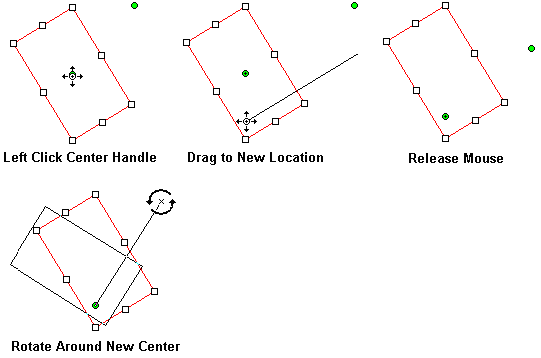
With the rotate options interface, two rotate handles are displayed on a selected object. One of the handles is the "gripper" handle, which rotates the object when dragged. The other handle is the "center" handle, which determines the axis of rotation. The center and gripper handles can be moved by clicking and dragging.
The following figure illustrates a rotate by dragging the gripper handle:
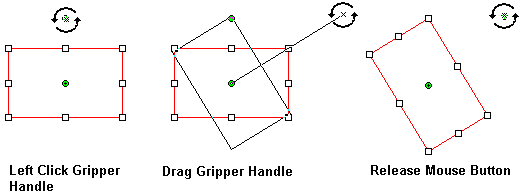
The following figure illustrates moving the center handle:
Calibrate Ruler Feature
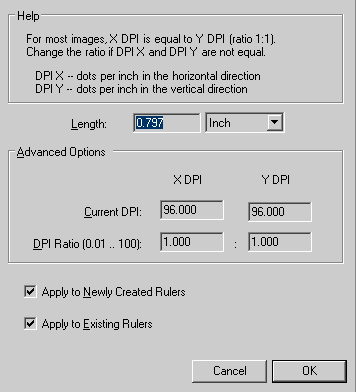
With this feature, a user can automatically calibrate a ruler to the desired size. This is useful to allow a user to interactively measure something in an image. Any of the measurement type annotation objects can be calibrated using the Ruler Calibrate Automation Dialog.
Annotation Cursors
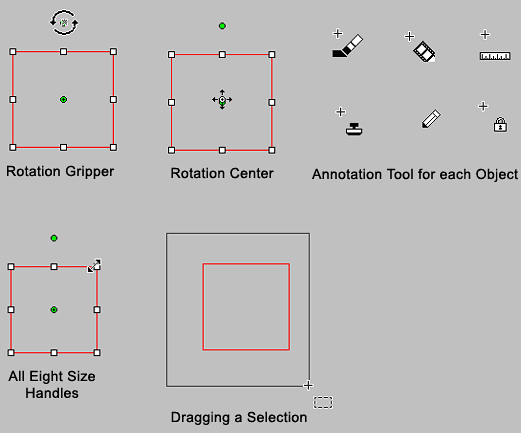
This feature displays different cursors for many tasks in automated annotation mode. This feature displays unique annotation cursors in the following situations:
- When hovering over a rotation gripper handle
- When hovering over a rotation center handle
- When hovering over any of the eight size handles and an appropriate arrow cursor is displayed depending on the handle and the rotation of the annotation object
- When dragging a selection
- When using any of the 30 annotation tools
All annotation cursors may be changed to your own custom cursor.
The following figure displays some of the default cursors:
Alpha Background Fill Option
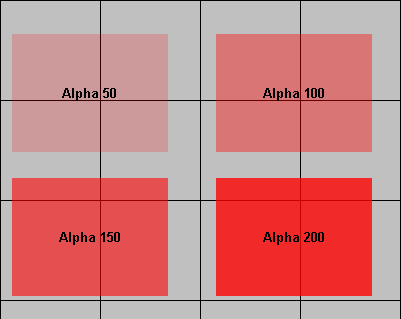
LEADTOOLS annotation objects support an alpha option to specify an alpha value from 0 (completely transparent background) to 255 (completely opaque background).
The following figure displays rectangle annotation objects with different alpha values:
Dot Dash Lines
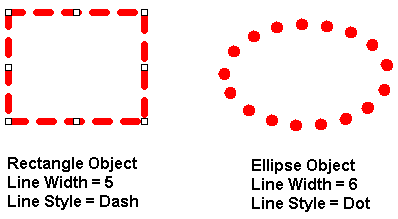
Most of the LEADTOOLS annotation objects have Line Width and Line Style options. These options can be used to draw the annotations with varying line thicknesses and change the line style to solid, dashed, or dotted.
The following example illustrates this:
Text Annotation Options
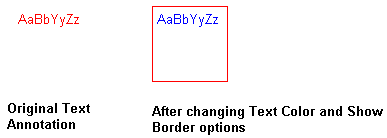
Text annotation object options include:
- Text visibility
- Text color
- Text Alignment
- Font style and size
- Border visibility
- Border color
Start Coding with LEADTOOLS Image Annotation & Markup Customizable Features
Image Annotation & Markup Customizable Features libraries as well as all LEADTOOLS Recognition, Document, Medical, Vector, and Imaging technologies for all development and target platforms, including Windows, Linux, and macOS.
Code Samples
- Programmatically Edit Text Annotations in HTML5/JavaScript
- Load, Save, and Split Annotations in C#
- Create PDF Annotations and Markups in C#
- Detect and Redact MICR from Files in C#
- Use MutationObserver with ImageViewer and Annotations in JavaScript
- Add Bates Stamp Watermark to Images in C#
- Convert PDF Annotations to P8 Strings in C#
- Convert P8 Annotation Strings to PDF Annotations
- Convert to and from TIFF Wang Annotations
- Copy and Paste Annotations with Document Viewer in HTML5/JavaScript
- DICOM Annotations in .NET Medical Viewer in C#