The Rich Client
This rich client viewing component is built as a windows forms user control (based on the UserControl Class) that is embedded inside a web form. It exposes the following functionality:
• Window Level (Brightness and contrast)
• Magnifying Glass
• Zoom
• PAN
• Scroll
• Invert
• Rotate
• Resample or Bi-cubic paint scaling
• Layout:
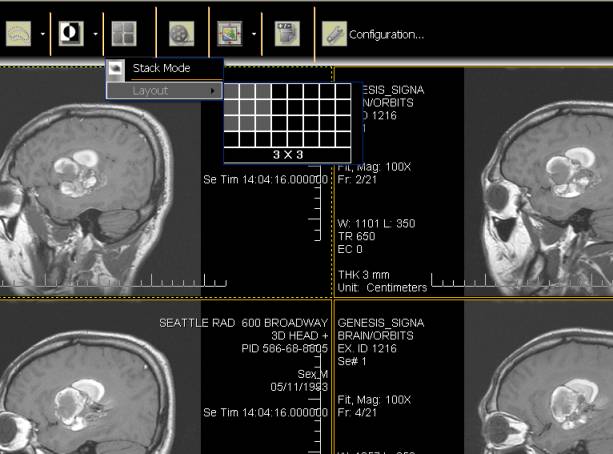
Figure-3 Changing Screen Layout
• Stack mode
• Series layout mode (row and column view)
• Cine mode
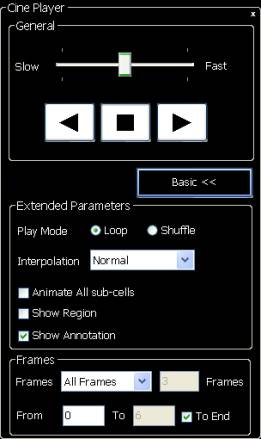
Figure-4 Cine Player
• Scroll through whole series
• Link tools to link all images in a series for synchronized zoom, window/level, rotation or pan.
• Enable or disable Overlay Text and patient image orientation information.
• Built-in scale or ruler on right or bottom of each cell.
• Built-in annotation tools:
• Arrow
• Rectangle
• Ellipse
• Text
• Built-in Measurement tools
• Ruler
• Cross product
• Protractor
• Region drawing tools to collect statistical information about the region, including:
• Free-hand
• Ellipse
• Rectangle
• Region growing tools (i.e. Create based on seed pixel using SetBitmapRgnMagicWand)
• Ability to Print to Windows Printer
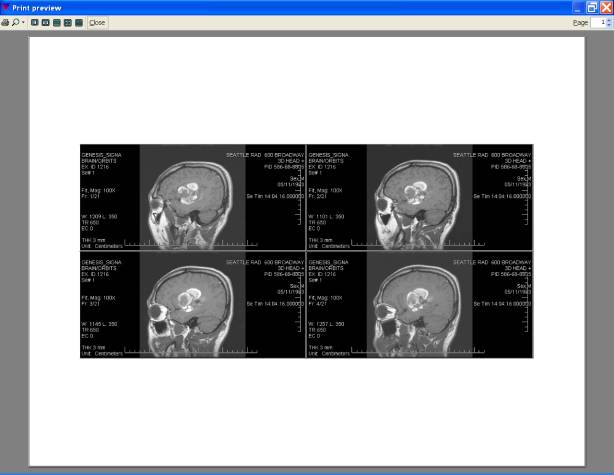
Figure-5 Print Preview
• Ability to export images as JPEG or BMP